The growth operating system
for independent deathcare

Own your digital demand. One platform to answer every family, convert every inquiry, and grow memorial revenue.

Book a demo

Where independents bleed

You’re losing families you already earned

Outdated sites, missed calls, and cut-rate cremation listings quietly hand your demand to chains and middlemen. You never see the family, the payment, or the relationship that follows.

  • After hours

    Missed first calls

    Nearly half of first calls come after hours. Every one that hits voicemail is a family who dials the next home on Google. At $6,000–$9,000 a case, one missed call a month is a five-figure year.

  • Price-shoppers leaking out

    Cremation is 63% and climbing toward 82%. Families compare online, and the FTC found homes that won’t even quote prices by phone. The discounter three towns over wins the inquiry you should have.

  • Margin in free fall

    Direct cremation nets about $2,200 versus $8,500 for traditional, and average funeral-home profit is down roughly 37%. The families you do serve are worth less unless you can lift them into memorial services and commerce.

  • You don’t own the relationship

    The chain, the answering service, the flower-commission split — each middleman owns a slice of your family’s journey, the data, and the commerce. You’re renting your own demand.

FuneralHQ gives it back answer every family, capture every inquiry, prove what you recovered, and own the relationship that follows.

From first call to final payment

Every stage of a case lives in one connected record, so details stop falling through the cracks between systems.

  1. 01

    Capture the first call

    Create a case, assign staff, add family contacts, record disposition type, and start the arrangement checklist.

  2. 02

    Build the arrangement file

    Keep service details, decedent information, merchandise, notes, tasks, and documents together.

  3. 03

    Send documents for signature

    Generate the packet, send it to the family, track completion, and store the signed copy.

  4. 04

    Collect payment

    Accept card, ACH, deposits, and payment plans while the case balance stays visible.

  5. 05

    Sync to QuickBooks

    Push invoices, payments, and customer records to QuickBooks Online or Desktop without retyping.

Follow one case, end to end

Instead of a vague claim, here is the Williams case the way it runs in FuneralHQ. Step through it from the first call to the closed books, and watch the status and balance move with the work.

Williams Family Main Street Chapel
Director J. AlvarezService Jun 24Balance Not yet quotedNew case
Stage 1 of 6

First call

  • Maria WilliamsDaughter, calling
  • James WilliamsDecedent
  • Place of passingMercy Hospital
  • ReceivedJun 18, 2:14 AM

Answered by FuneralHQ

  • Recording & transcriptAttached
  • Arrangement meetingBooked Jun 19, 10:00
  • Routed toJ. Alvarez, on call
What happenedThe AI receptionist answered overnight, captured the details, and opened the case automatically.

The case opened itself from the call, before the office was even open.

First call

Sample case shown with demo data

Assistive tools, not automated funeral service

Assistive tools for the details that usually get lost

FuneralHQ does not replace the funeral director. It helps your team capture notes, find prior family context, fill repeated forms, and prepare better handoffs, with staff review before anything is saved, sent, or finalized.

Voice handoff notes

Speak naturally after a family meeting or service. FuneralHQ turns the note into a structured handoff inside the case for the next person to review.

Paper-to-case capture

Still use paper? Keep it. Snap a photo of a worksheet or handwritten note so important details stay attached to the case and searchable later.

Case Memory

Ask whether you have served a family before and surface related cases, contacts, and prior notes, so a returning family is met with the context you earned.

Form autofill assistance

Map your templates once, with staff reviewing the fields, then repeated documents populate from the case record. No claim of perfect mapping, just less retyping.

Plain-English case search

Ask what is missing, unpaid, or unsigned, or what the next person needs to know. It searches only your firm’s records and keeps staff in control.

Human-reviewed Private to your firm Staff-controlled Not family-facing by default Built for handoffs, not replacing care

Families expect more. Funeral operations have to keep up.

Cremation growth, pet aftercare, remote family coordination, online payments, and price transparency are reshaping how funeral homes operate. FuneralHQ helps your team stay organized without adding another disconnected tool.

  • Cremation

    Cremation is reshaping the model

    As cremation passes 60% of U.S. funerals (NFDA), firms need leaner workflows, cleaner records, and better follow-up across more case types.

  • Pet aftercare

    Pet aftercare is an adjacent service line

    Many firms now offer pet cremation or memorial services alongside human deathcare. FuneralHQ keeps pet aftercare cases organized in the same case workflow, with separate reporting when you need it, so it adds revenue without adding chaos.

  • Families

    Families expect digital convenience

    Remote planning, e-signatures, online payments, and quick updates are no longer optional. The arrangement experience is part of how families judge your firm.

  • Compliance

    Price transparency and recordkeeping

    The FTC Funeral Rule requires accurate, itemized price information and required disclosures. Clean case records, documents, and payment histories make that routine instead of risky.

Sources: NFDA cremation statistics, Grand View Research pet funeral market, FTC Funeral Rule.

The platform

Everything a case needs, connected

Six modules that share one record, so work done in one place shows up everywhere it should.

Case Management

One case record for family contacts, decedent details, service information, merchandise, notes, tasks, documents, payments, and activity history. No more hunting across folders and tabs.

Williams FamilyIn arrangement
  • Documents 3 pending
  • Payment $1,240 balance
  • QuickBooks Synced

Documents & E-Signatures

Build document packets from the case file, send them for signature, track completion, and store the signed copy automatically. Unlimited signatures, no per-signature fees.

Online Payments

Accept card, ACH, deposits, and payment plans. Staff see what is paid, what is outstanding, and what belongs to each case.

QuickBooks Sync

Two-way sync keeps invoices, payments, and customer records current in QuickBooks Online or Desktop, without retyping.

Preneed Management

Track preneed contracts, policy details, and family contacts, and convert to at-need without starting over.

Multi-Location Reporting

Compare locations, open cases, payments, staff activity, and outstanding balances from one dashboard, with role-based access so staff only see what they should.

Main Street Chapel4 open · $3,120 due
Riverside2 open · $890 due
Eastgate3 open · $1,540 due

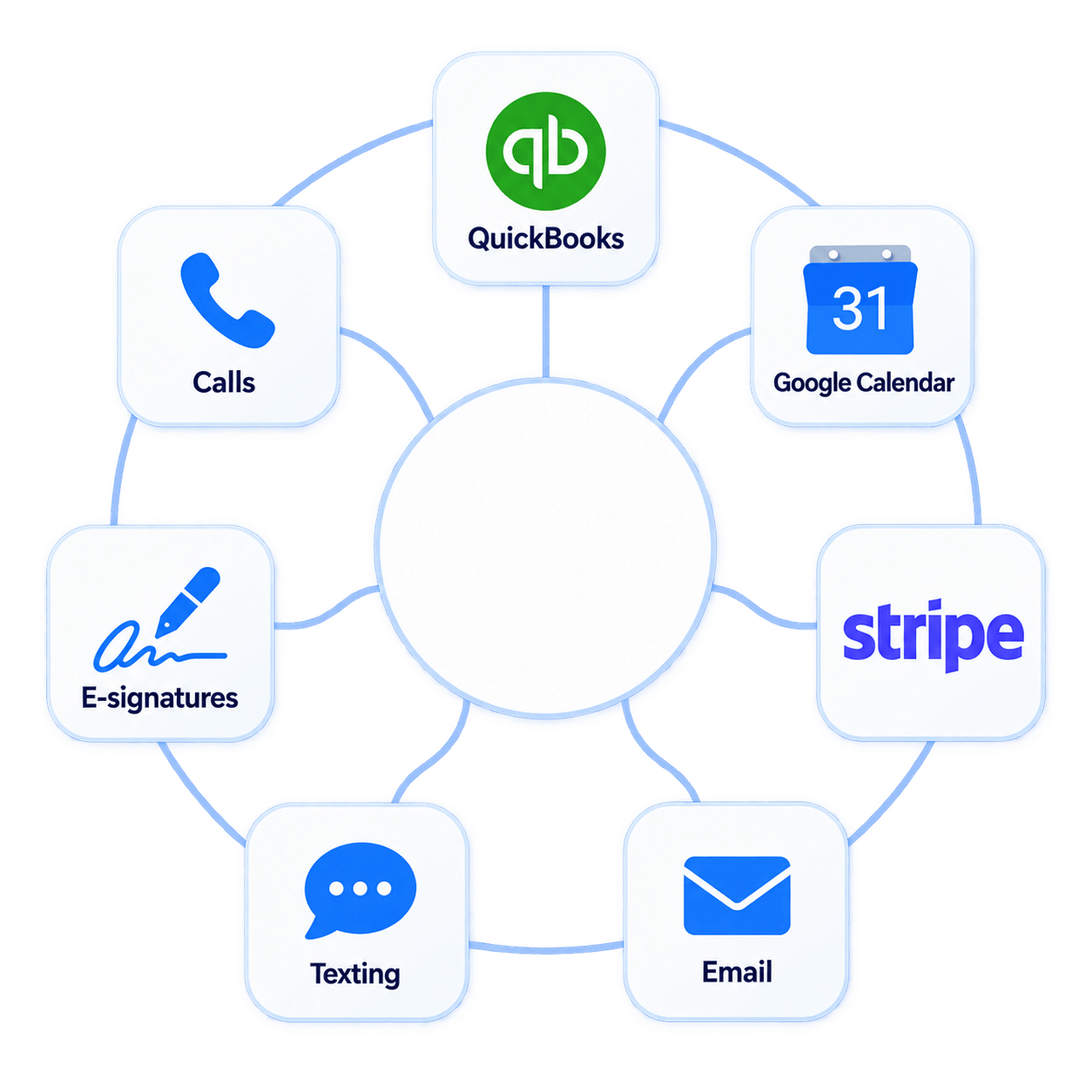
Works with the tools your office already uses

What matters is not the logo, it is what actually moves. FuneralHQ shows what syncs, where it goes, and whether your team still has to retype it. You do not.

IntegrationWhat movesDirectionAvailability
QuickBooks OnlineInvoices, payments, customer recordsTwo-way syncIncluded
QuickBooks DesktopInvoices, payments, customer recordsTwo-way syncIncluded
Online paymentsCard, ACH, deposits, payment plansNativeProcessing fees apply
E-signaturesPackets, signed copies, audit trailNativeIncluded
Google CalendarService and appointment timesCalendar syncIncluded
CSV import / exportCases, contacts, reportsImport / exportIncluded

Switching should not feel like a second job

A guided first week, not a vague promise of “minutes.” You run your first live case in week one, with help the whole way.

  1. Day 0

    Import review

    Export from your current system or upload a sample. We map what comes over together.

  2. Days 1-2

    Cases & contacts

    Set up users, locations, permissions, and how your fields map into FuneralHQ.

  3. Days 3-5

    Documents, payments, accounting

    Configure templates, signature packets, payment settings, and QuickBooks sync.

  4. Days 6-7

    Training & first live case

    Train your staff and run a real case with our team standing by.

Most firms can run a first live case in week one. Larger migrations may take longer depending on data quality and the integrations you need.

What we need from you

  • Current case export
  • Staff list
  • Locations
  • Document templates
  • QuickBooks access
  • Payment preferences
  • Price lists / service items
  • Existing forms

Built for sensitive family and financial records

FuneralHQ stores case files, family contacts, documents, signatures, payments, and financial records. Access controls, audit trails, backups, and export tools help your firm protect sensitive information and stay accountable.

Security details vary by plan and setup. We review current controls with you during your demo.

Review security controls
  • Role-based access by locationStaff only see the cases, reports, and locations their role allows
  • Document and e-signature audit trailSigned documents are timestamped and stored with the case record
  • Encrypted in transit and at restSensitive case and financial data is protected in transfer and storage
  • Payments handled by a PCI-compliant processorCard and ACH payments are processed through a vetted payment partner
  • Automated backupsRecords are backed up on a defined schedule
  • Export your data anytimeExport case, contact, document, and payment records when you choose

Transparent pricing, no surprises

Start with the workflow you need today. Add payments, preneed, multi-location reporting, and advanced support when your operation requires it.

Starter

Best for one-location firms getting organized.

From $99/mo

Book demo
  • Case management
  • Customers & documents
  • Dashboard & reports
  • Unlimited e-signatures

Business

Best for firms with preneed or more than one location.

From $399/mo

Book demo
  • Everything in Professional
  • Preneed management
  • Multi-location
  • Role-based permissions

Enterprise

Best for multi-location groups and custom integrations.

From $699/mo

Talk to us
  • Priority support
  • Custom integrations
  • Migration support
  • Dedicated onboarding

Plans are billed per company, not per user or per case. No per-signature fees. Payment processing fees are separate. Onboarding and migration support are included on every plan. Enterprise pricing may apply for large multi-location groups or custom integration needs.

What changes when it all lives in one record

Three common operator scenarios, in the same before, after, and result shape.

  • 3-location ownerFlorida
    Before
    Open cases, balances, and staff assignments were checked by phone across locations.
    After
    One dashboard shows open cases, service dates, unpaid balances, and task ownership by location.
    Result
    Less phone tag, and a faster answer on where every case stands.
  • Licensed funeral directorSingle location · Michigan
    Before
    Invoices were entered once in the case tool and again in QuickBooks.
    After
    Invoices, payments, and customers sync to QuickBooks, and signed documents stay on the case.
    Result
    No duplicate entry, and the books match the cases.
  • Funeral home directorSingle location · Texas
    Before
    Families drove in to sign paperwork before the service.
    After
    Families sign document packets from home, and staff see what is still pending.
    Result
    Hours saved each week, and fewer last-minute scrambles.

Operator scenarios drawn from how funeral homes use FuneralHQ. Customer names withheld at their request.

Questions funeral homes ask before switching

If it is not covered here, a 20-minute demo will show it in context.

Can FuneralHQ replace my current case management system?

Yes. FuneralHQ is built to be your system of record for cases, family and decedent details, documents, e-signatures, payments, preneed, and QuickBooks sync. Many firms use it to replace spreadsheets, shared drives, separate signature tools, and manual accounting entry. During your demo, we can walk through your current workflow and show exactly what would move into FuneralHQ.

How long does onboarding take?

Most firms run their first live case within the first week. We guide the whole setup: importing your data, mapping your fields, configuring document templates and payment settings, and training your staff. You are not handed a login and left to figure it out, and you are not waiting weeks before you can work a real case.

Can I migrate old cases and contacts?

Yes, and we do the heavy lifting with you. During onboarding we help you export from your current system or a spreadsheet, then map those fields into FuneralHQ so your existing cases and contacts come over accurately. You should not have to re-enter years of records by hand to switch.

Does FuneralHQ support QuickBooks Online and Desktop?

Both. FuneralHQ runs a two-way sync with QuickBooks Online and QuickBooks Desktop, so invoices, payments, and customer records stay current in both places without being entered twice. That removes the duplicate invoice entry most firms still do by hand between their case system and their accounting.

Are e-signatures included or billed per signature?

Included on every plan, with no per-signature fee. Build a document packet from the case, send it, and the family signs from any device at home. The signed copy stores on the case automatically with a timestamped audit trail, so signing is part of the case rather than a separate tool you pay for per use.

Can families pay online?

Yes. Families can pay by card or ACH from anywhere. You can take deposits, set up payment plans, and the outstanding balance stays visible on the case. Payments are processed through a PCI-compliant provider and flow into QuickBooks so your books stay current. Standard processing fees apply, separate from your subscription.

Can I manage multiple locations separately?

Yes. From the Business plan, every location reports into one dashboard while staying organized on its own. You can compare open cases, payments, staff activity, and balances across locations, and role-based access means staff only see the location and information their role allows.

Can I restrict what staff members can see?

Yes. Role-based permissions control access by role and by location, so a director, an office admin, and a part-time staff member each see only what they should. That keeps sensitive family and financial details on a need-to-know basis as your team grows.

Can FuneralHQ support pet cremation cases separately from human cases?

Yes. If your firm offers pet aftercare, you can run pet cremation cases in the same system as their own cases, with role-based access and separate reporting. The work stays organized and the added revenue is easy to track.

Who owns my data, and can I export it?

You own it. Your case, contact, document, and payment records belong to your funeral home, not to us. You can export them at any time at no extra charge. There is no export fee and no lock-in holding your records hostage, so you always stay in control of your own data.

What support do I get after launch?

Every plan includes support from our team, not a generic ticket queue, and Enterprise adds priority support and dedicated onboarding. Because support is founder-led, questions get real answers, and we help you adjust settings, templates, and workflows as your firm changes over time.

See FuneralHQ run a real case at your firm

In 20 minutes, we walk through first-call intake, documents, signatures, payments, and QuickBooks sync using a sample case.

No pressure, no generic sales deck. Just the workflow.